Account assistance
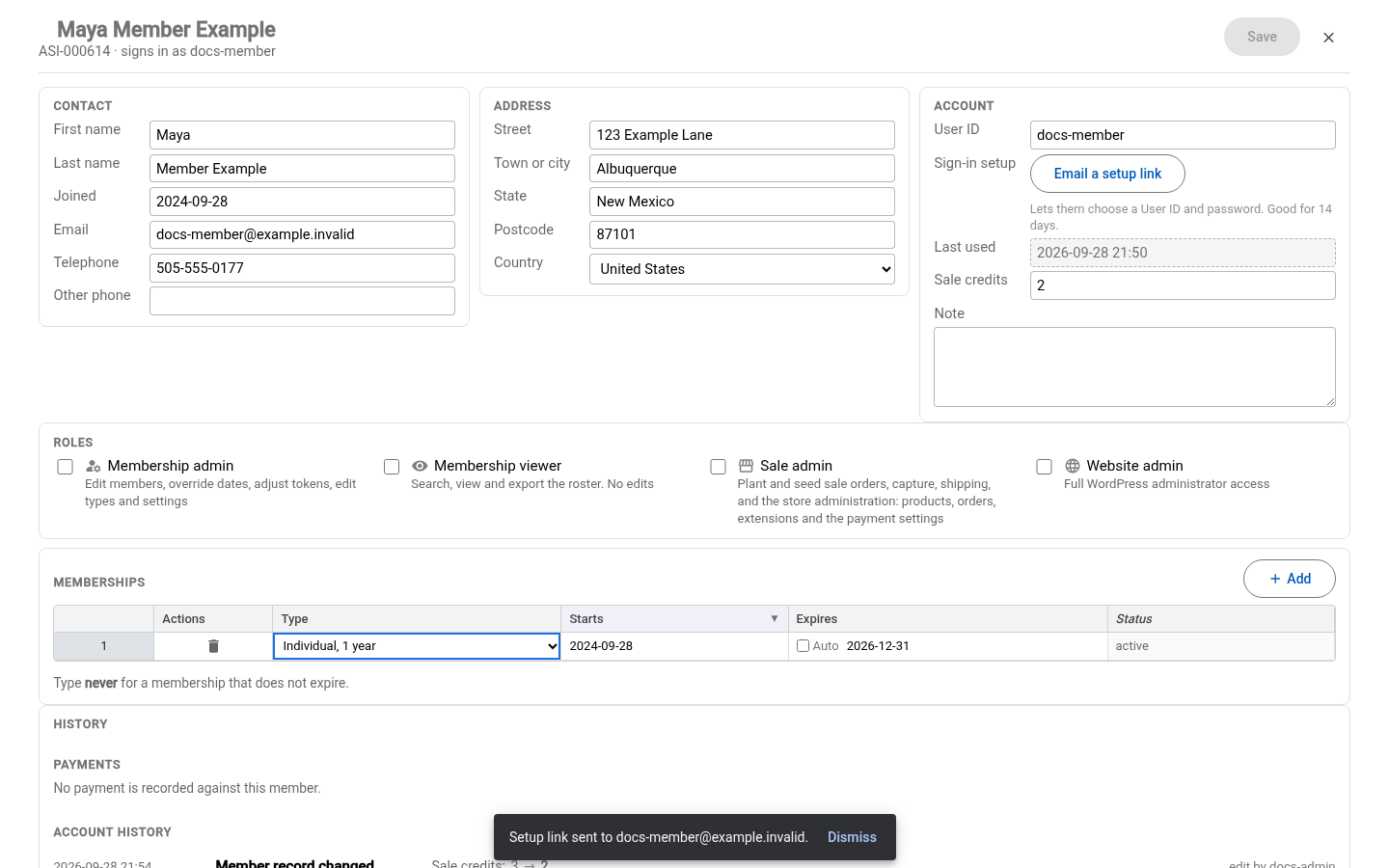
Use Full record in the new membership module to help a member with account access or sale credits. This requires Membership admin. See the module overview to sign in.
Help with sign-in and sale credits
In Full record, a Membership admin can correct an existing account's User ID and adjust Sale credits, then select Save. Tell the member their corrected User ID. Credit issuance and redemption are recorded manually by staff; changing this balance does not redeem a voucher at checkout.
For an account with no password, a missing welcome email or an expired setup link:
- Check the member's Email and save any correction.
- Under Account, select Email a setup link.
- Check the confirmation names the intended email address. A delivery error needs attention; pressing the button alone does not establish that the message was sent.
- Ask the member to check their inbox and spam folder and follow the link to choose their User ID and password. The button can send another link when needed.
The record needs a sign-in account and an email address for this action.