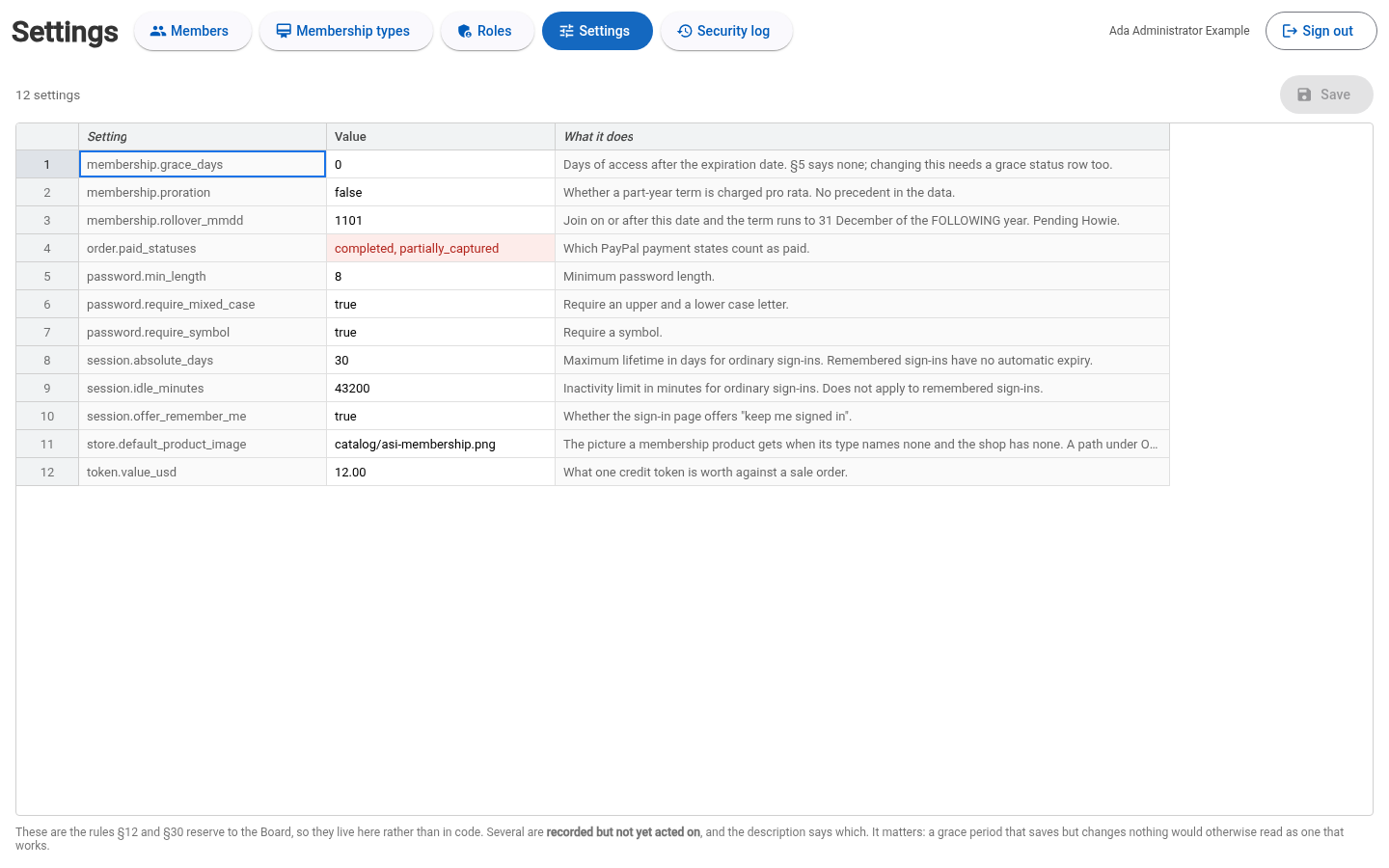
Membership sales and settings
Membership admin manages membership products and sign-in settings in the new module. See the module overview to sign in.
Membership types and settings
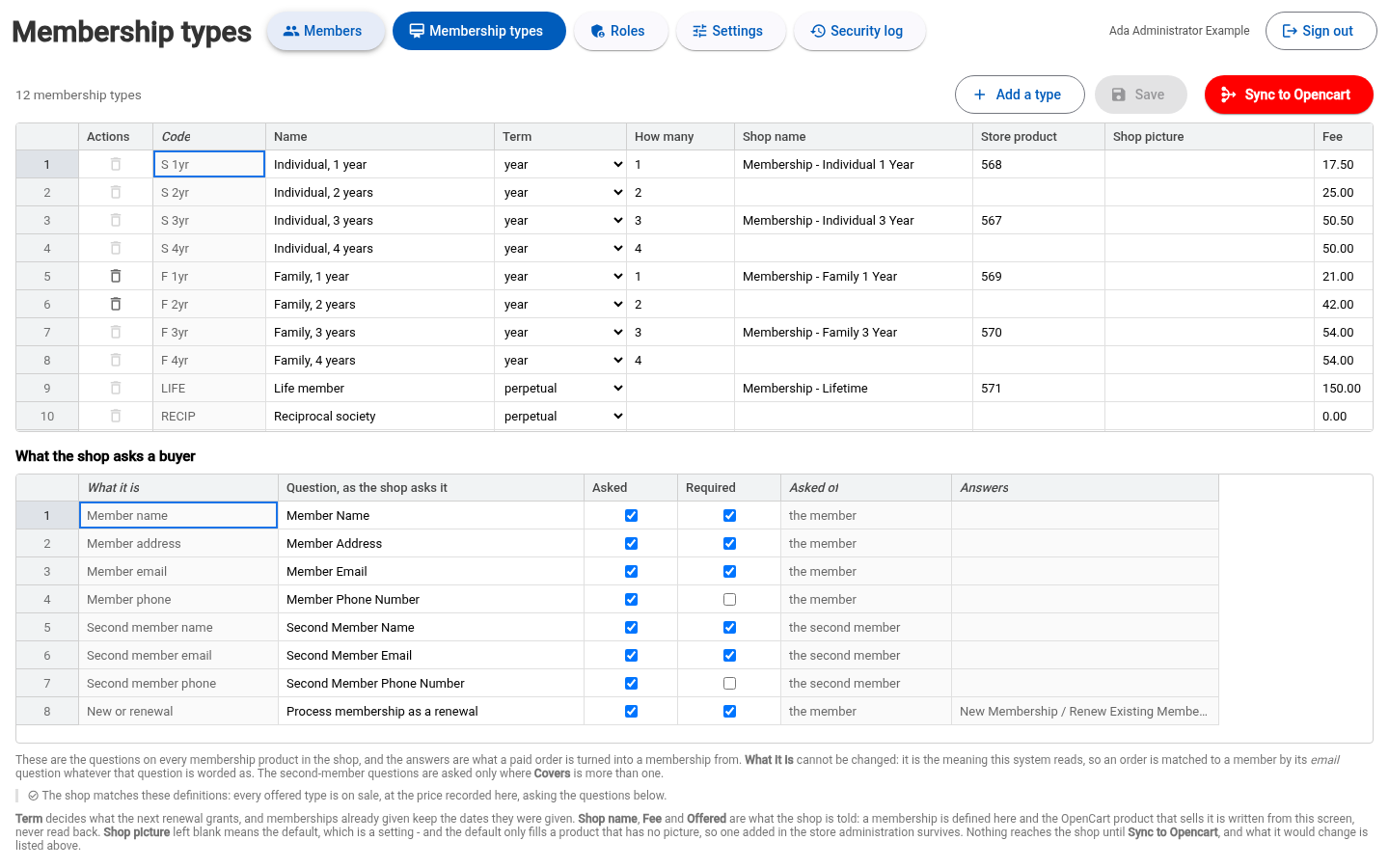
Membership admin controls membership sales. Use Membership types to define the membership products, prices, buyer questions and availability offered in the shop, then publish them from this screen.
- Edit a type or select Add a type. Set its Name, Term, How many, Shop name, Fee, Covers and Offered state. Covers controls whether the shop asks second-member questions.
- Under What the shop asks a buyer, edit question wording and the Asked and Required choices. What it is identifies the answer's purpose and is read-only.
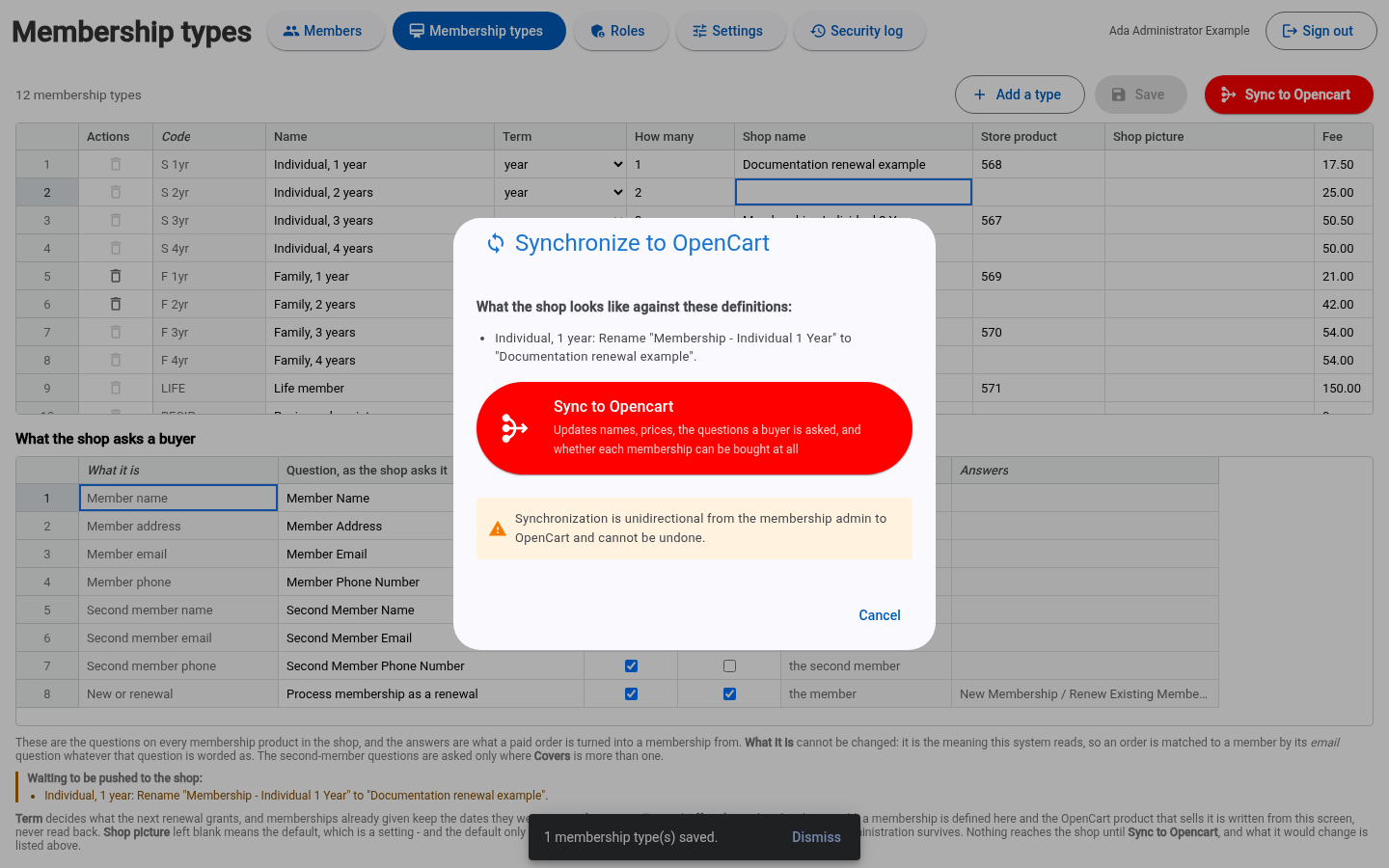
- Select Save. Review Waiting to be pushed to the shop and resolve any definitions that cannot be published.
- Select Sync to Opencart, review the plan, then select Sync to Opencart in the dialog. Check the completion message and remaining differences.
Saving definitions and publishing them are separate actions. Sync sends membership product names, prices, questions and availability to the shop. Store edits do not flow back to these definitions. Existing membership dates stay unchanged. This is separate from the sale-inventory sync in IrisDB.
Settings holds society-wide membership and sign-in rules. Ordinary sessions currently have a 30-day total lifetime and a 30-day inactivity limit. Reducing either setting can make ordinary sign-in expire sooner. Keep me signed in has no automatic expiry.